
MorphStudio AI Pricing: What You Need to Know Before Buying
If you’re comparing AI video creation tools, pricing is usually one of the first things you want to understand.
MorphStudio AI pricing is particularly interesting because the offer is positioned around a one-time payment rather than the traditional monthly subscription model used by many AI video platforms.
But the headline price is only part of the equation.
Before choosing a plan, you also need to look at credits, video quality, available voices and languages, video length, commercial usage, and the optional upgrades.
In this guide, we’ll break down the reported MorphStudio AI plans and costs so you can understand what you’re actually paying for and which option may make the most sense for your needs.
Important: Pricing, credits, bonuses, and upgrade availability can change. Always check the final checkout page before purchasing.
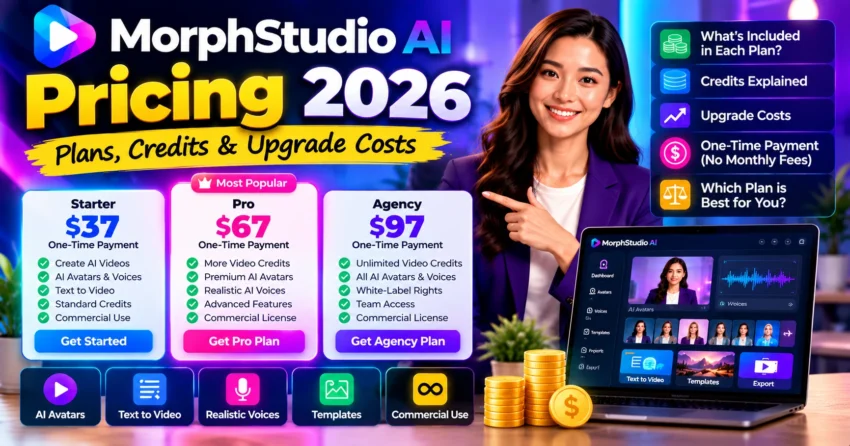
MorphStudio AI Pricing at a Glance
The MorphStudio AI offer has several levels, starting with a relatively low-cost front-end and continuing with optional upgrades.
Based on the currently reported offer structure, the pricing is approximately:
| Option | Reported Price | Main Purpose |
|---|---|---|
| Front-End | $37 | Basic AI talking-head video creation |
| Pro Upgrade | $67 | Higher-quality and expanded video capabilities |
| Additional Upgrade | $67 | Additional features/capabilities |
| Additional Upgrade | $97 | Expanded functionality |
| Additional Upgrade | $247 | Higher-level/agency-oriented features |
These prices should be treated as reported offer pricing rather than permanent prices because JVZoo offers can change during promotions, updates, or checkout.
The most important question isn’t simply whether MorphStudio AI costs $37.
It’s whether the features included at that price are enough for the type of videos you want to create.
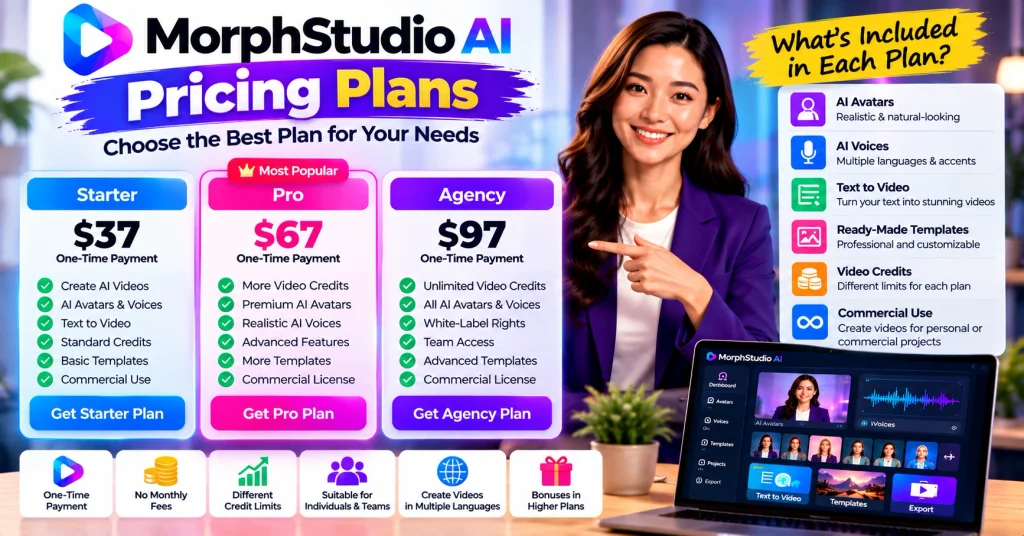
What Do You Get With the MorphStudio AI Front-End?
The front-end is designed around creating AI-generated talking-head videos without needing to record yourself on camera.
The basic workflow is relatively straightforward:
- Add your message or script.
- Select an AI influencer/avatar.
- Generate the video.
- Download the finished video.
- Publish it to your chosen platform.
Reported front-end features include AI presenters, voice options, multiple languages, lip-sync functionality, and commercial-use positioning.
Some reports describe the front-end as including around 1,500 credits, while other promotional materials have referenced different credit amounts.
Because these figures can vary between versions of the offer, it’s better to verify the exact credit allocation displayed on your checkout page.
Why the Front-End Can Be Attractive
For someone who only needs occasional AI spokesperson videos, paying for a basic plan may be more practical than immediately purchasing every upgrade.
You could use the entry-level offer to determine whether the workflow fits your content strategy before investing more.
Where the Front-End May Be Limited
The entry-level plan may not be ideal if you need:
- Higher video resolution
- Longer videos
- More AI voices
- More languages
- Larger-scale production
- Advanced commercial workflows
- Agency-level capabilities
Is the $37 MorphStudio AI Plan Enough?
For many beginners, the reported $37 front-end price is the most important part of the offer.
If your goal is simply to experiment with AI talking-head videos, create occasional promotional videos, or test AI presenters for social media, starting with the front-end may make sense.
You don’t necessarily need every upgrade.
For example, an affiliate marketer testing a new content strategy may only need enough functionality to create short promotional videos.
On the other hand, someone producing videos for multiple clients every week may quickly outgrow the basic package.
The right choice therefore depends more on production volume and required features than on the initial price alone.
MorphStudio AI Pro Pricing
The reported MorphStudio AI Pro upgrade is around $67.
The Pro-level offer is positioned toward users who need more flexibility than the basic package.
Reported Pro features include improvements such as:
- 1080p video output
- More AI voices
- A larger language selection
- Longer or more flexible video creation
- Priority rendering
Some reports mention around 30 voices and 70+ languages for the Pro level, but these specifications should be confirmed on the current checkout page because promotional offers can change.
Who Might Need Pro?
Pro becomes more interesting if you’re creating videos regularly rather than simply experimenting.
For example, it may be more useful for:
- Affiliate marketers
- YouTube creators
- Freelancers
- Marketing agencies
- Small businesses
- Course creators
- Social media managers
If video quality and production flexibility are important to your workflow, the Pro upgrade may provide more practical value than the basic package.
What Are the Other MorphStudio AI Upgrade Costs?
The MorphStudio AI offer also includes several additional upgrades.
Reported prices include approximately:
- $67 for one upgrade
- $97 for another upgrade
- $247 for a higher-level upgrade
The exact features attached to each upgrade matter more than the price itself.
For example, an upgrade designed for advanced video production could be much more useful to an agency than to someone creating five videos a month.
This is why it’s usually better to evaluate each upgrade according to your actual workflow rather than buying everything automatically.
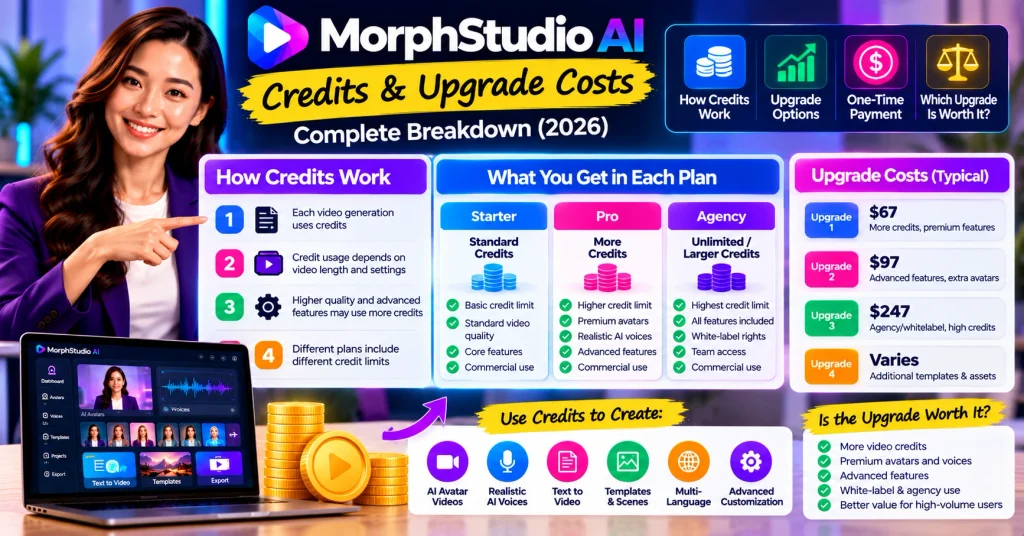
MorphStudio AI Credits Explained
Credits are one of the most important things to understand before purchasing an AI video generator.
AI video tools commonly use credits because video generation requires significantly more processing than simple text generation.
With MorphStudio AI, credits can determine how much content you can generate before you need additional capacity or another plan.
However, the number of credits alone doesn’t tell you the real cost per video.
You also need to know how many credits a particular generation consumes.
For example, if one short video uses fewer credits than a longer or higher-resolution video, your available production volume can vary considerably.
What Can Affect Credit Usage?
Credit consumption may depend on factors such as:
- Video duration
- Output quality
- Voice generation
- Processing requirements
- Video type
- Other generation settings
Because the exact credit consumption can change, check the current platform documentation or account interface before estimating how many videos you can create.
How Much Does One MorphStudio AI Video Cost in Credits?
This is one of the most useful questions to ask before buying.
Instead of thinking only about:
“How many credits do I get?”
Think about:
“How many usable videos can I realistically create with those credits?”
Unfortunately, a single universal answer isn’t appropriate because the credit cost can depend on the type and length of generation.
A short social media video may have a different credit requirement from a longer, higher-quality promotional video.
If you’re planning to create content at scale, calculate your expected monthly or weekly video volume first.
Then compare that requirement with the credit allocation shown in your current MorphStudio AI account or checkout offer.
Does MorphStudio AI Have a Monthly Fee?
One of the selling points associated with MorphStudio AI is its one-time-payment positioning.
That can be attractive compared with AI video platforms that require recurring monthly subscriptions.
However, you should distinguish between:
One-time purchase price
and
Unlimited ongoing usage.
A one-time offer doesn’t automatically mean unlimited generations.
Credits, usage limits, upgrade requirements, or other restrictions can still apply.
Therefore, before purchasing, check exactly what the current offer says about:
- Credits
- Usage limits
- Video length
- Voice generation
- Commercial rights
- Future access
- Additional payments
This is especially important if you’re planning to build a long-term content business around the platform.
How MorphStudio AI Pricing Compares With Its Features
A useful way to evaluate the offer is to connect the price with your actual requirements.
If You Need Basic AI Videos
The front-end may be enough if you want to:
- Test AI presenters
- Create simple promotional videos
- Produce short social media content
- Experiment with faceless content
- Create occasional affiliate videos
If You Need Higher-Quality Production
The Pro option becomes more relevant if you need:
- 1080p output
- More voices
- More languages
- More production flexibility
- Regular video creation
If You Need Client-Level Production
Freelancers and agencies should look more closely at the higher upgrades.
The additional cost may make sense if the extra capabilities help you produce more client work or reduce the time required to create videos.
Which MorphStudio AI Plan Is Best?
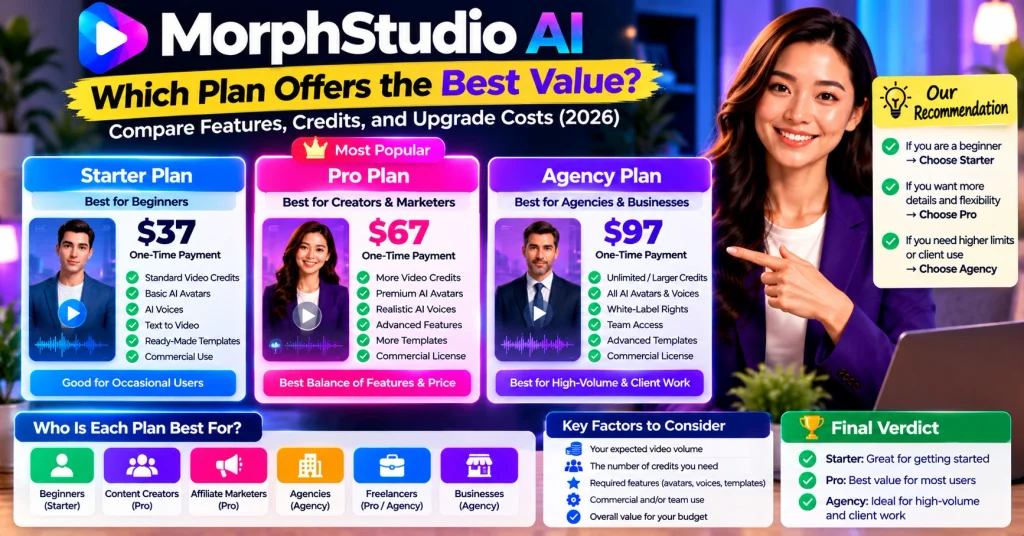
There isn’t one plan that’s automatically best for everyone.
Your ideal option depends on what you’re trying to accomplish.
Best for Beginners
The front-end is the logical starting point if you want to test the platform without committing to multiple upgrades.
Best for Regular Content Creators
Pro may be more suitable if you’re producing AI videos regularly and want better output quality and more options.
Best for Freelancers and Agencies
Higher upgrades may make more sense when you’re using MorphStudio AI for client projects or higher-volume production.
The key is to avoid paying for capabilities you’ll never use.
What Should You Check Before Buying MorphStudio AI?
Before entering your payment details, review the offer carefully.
Here are the most important things to verify:
1. Current Price
Make sure the amount shown at checkout matches the price you expected.
2. Credit Allocation
Check the exact number of credits included with your selected package.
3. Video Limits
Look for restrictions involving duration, resolution, or number of generations.
4. Voice and Language Options
If you’re creating multilingual content, verify that the languages and voices you need are included.
5. Commercial Usage
If you plan to create videos for clients or monetize your content, review the applicable commercial-use terms.
6. Upgrade Requirements
Understand which features require additional purchases.
7. Refund Policy
Review the current refund or money-back terms before completing the purchase.
[CONTENT IMAGE #3 — Place here]
Suggested image: “Which MorphStudio AI Plan Offers the Best Value?”
Is MorphStudio AI Pricing Worth It?
The answer depends on how you plan to use it.
If you’re looking for a way to create AI talking-head videos without filming yourself, the entry-level price can be appealing.
The value becomes more interesting when you consider the potential time savings.
Instead of:
- Setting up a camera
- Recording yourself
- Retaking footage
- Editing the video
- Recording voiceovers
- Syncing everything together
you can work from a script and use an AI presenter-based workflow.
That can be useful for affiliate marketers, YouTubers, freelancers, agencies, and businesses.
However, buyers should still compare the total cost of the package with their expected usage.
A low initial price doesn’t automatically make a tool valuable if you don’t actually need its features.
How to Choose the Right MorphStudio AI Package
A simple decision process can help.
Choose the front-end if:
You want to experiment with AI video and don’t have high production requirements.
Consider Pro if:
You need better video quality, more voices, more languages, or more flexibility.
Consider additional upgrades if:
You’re creating videos at higher volume or using the software for professional/client work.
Avoid unnecessary upgrades if:
You only need basic talking-head videos and won’t use the additional capabilities.
This approach can help you keep your total investment under control.
MorphStudio AI Pricing: Pros and Cons
Pros
- Relatively accessible entry price
- One-time-payment positioning
- AI talking-head video workflow
- Multiple voices and languages
- Higher-quality options through upgrades
- Potential commercial-use applications
- Useful for faceless content creation
Cons
- Total cost can increase with upgrades
- Credit usage needs to be understood
- Exact offer details can change
- Not every user needs the higher-tier features
- Credit allocation may differ between promotional versions
Final Verdict: Should You Buy MorphStudio AI?
MorphStudio AI pricing is most appealing to users who specifically want AI-generated talking-head or spokesperson-style videos.
The reported $37 front-end makes the platform relatively accessible for someone who wants to test the concept without immediately spending hundreds of dollars.
However, the real value depends on what you need from the platform.
If you only need basic videos, starting with the front-end may be reasonable.
If you’re producing professional content regularly, the Pro or additional upgrades may become more relevant.
Before purchasing, compare the current checkout price, credits, video limits, output quality, commercial terms, and upgrade costs.
That will give you a much clearer idea of the true MorphStudio AI cost for your particular workflow.
Frequently Asked Questions
How much does MorphStudio AI cost?
The reported front-end price is around $37, with additional upgrades reported at approximately $67, $97, and $247. Prices and availability can change, so verify the current checkout page.
Is MorphStudio AI a monthly subscription?
MorphStudio AI is promoted around a one-time-payment model, but users should still check the current offer for credits, usage limitations, and any additional purchases.
How many credits does MorphStudio AI include?
Reported credit allocations have varied across promotional coverage. Check the current sales page and checkout to confirm the exact number included with your selected package.
Is MorphStudio AI Pro worth the extra cost?
Pro may be worth considering if you need higher-quality output, more voices, additional languages, or more flexible video creation. For occasional users, the front-end may be sufficient.
Can I use MorphStudio AI for affiliate marketing?
Yes, AI talking-head videos can be useful for affiliate marketing content, including product explainers, promotional videos, social media content, and video-based reviews. Always follow the applicable platform and affiliate disclosure rules.
Is MorphStudio AI good for YouTube?
It can be useful for creators who want AI-presenter videos without appearing on camera. Whether it is the right choice depends on your desired video style, production volume, editing workflow, and budget.
Should I buy all MorphStudio AI upgrades?
Not necessarily. The best approach is to identify which features you actually need and purchase upgrades accordingly.